
OnePlay Login – Sign In to Your Account
Use the OnePlay Login page to access your existing account through the Web interface. You can sign in with either your username or phone number together with your password. The login page also provides options to remember your password, recover a forgotten password, register a new account, and contact support when needed.
How to Complete OnePlay Login
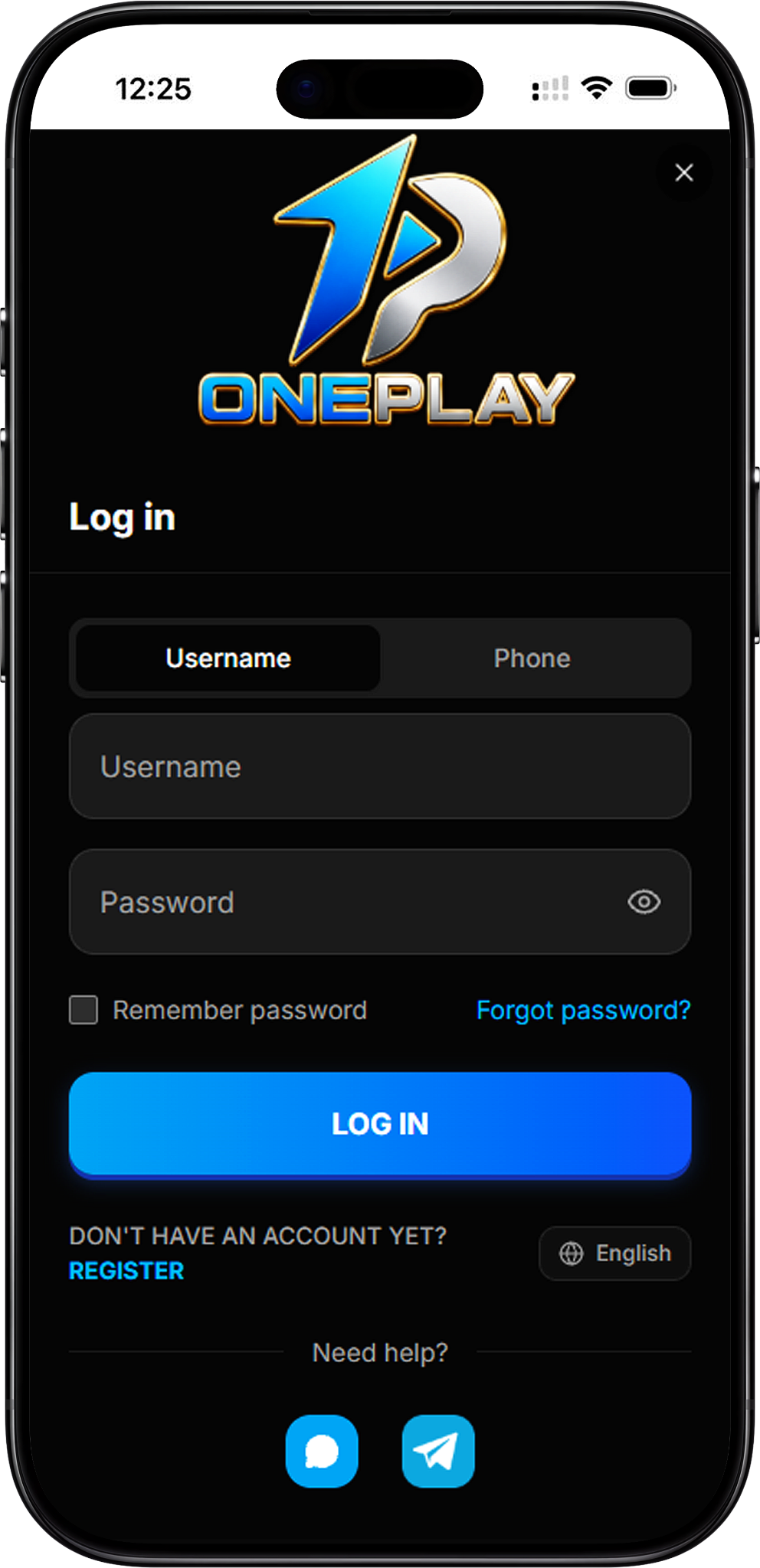
The OnePlay Login process lets registered users access their accounts with their existing credentials. Choose your preferred sign in method, enter the required information, and check your details before continuing.
Step 1: Open the OnePlay Login Page
Go to the OnePlay login page through your browser to open the account sign in interface.
Step 2: Choose Username or Phone
Select Username if you want to sign in with your account username, or select Phone to use the phone number associated with your account.
Step 3: Enter Your Username or Phone Number
If you selected Username, enter your account username. If you selected Phone, choose the appropriate country calling code and enter your phone number.
Step 4: Enter Your Password
Enter the password associated with your OnePlay account. You can use the visibility icon in the password field to check the characters you entered before continuing.
Step 5: Choose Whether to Remember Your Password
The login page includes a Remember password option. Select it if you want the login interface to remember your password, or leave it unchecked if you do not want to use this option.
Step 6: Select Log In
Check your username or phone number and password, then select Log In to submit your account credentials.
Sign In with Username or Phone Number

OnePlay provides two account identification options on its Sign In interface. Registered users can switch between Username and Phone depending on the account information they want to use for login.
Sign In with Username
Select the Username tab, enter your registered username and password, and then select Log In. Make sure the information matches the credentials associated with your account.
Sign In with Phone Number
Select the Phone tab, choose the relevant country calling code, enter your phone number and password, and then select Log In.
OnePlay Web Login Options
The OnePlay Web login interface keeps the main account access options together in one place. In addition to username and phone sign in, users can manage common login actions directly from the page.
Remember Password
The Remember password checkbox is available beneath the password field. This option can be selected before you submit your login credentials.
Password Visibility
An eye icon appears inside the password field. Use it when you need to view or hide the password characters while entering your login information.
Language Option
The login interface includes a language selector. English is available directly from the login page.
Account Support
A Need help? area is displayed on the login page with available support contact options for users who require assistance.
Forgot Your OnePlay Password
If you cannot remember your password, use the Forgot password? option displayed on the OnePlay Login page rather than repeatedly entering an incorrect password.
Open Forgot Password
Select Forgot password? beside the Remember password option to begin the password recovery process provided by OnePlay. Follow the instructions shown on the platform to continue.
Return to Login
After completing the required recovery process, return to the login page and sign in using the account information requested by the platform.
New to OnePlay
The login page is intended for users who already have a OnePlay account. If you have not registered yet, use the Register option displayed below the login button to proceed to account registration.
Create an Account First
New users need to complete registration before using the login page for account access. The OnePlay registration process requires account information such as a username, phone number and password.
Go to OnePlay Register
Select Register from the login interface to continue to the registration page. Complete the required information and applicable agreement confirmation before submitting your registration.
OnePlay Login FAQ
How do I complete OnePlay Login?
Open the login page, choose Username or Phone, enter the corresponding account information and your password, and select Log In.
Can I sign in to OnePlay with my username?
Yes. Select the Username tab on the login page, then enter your username and password to sign in.
Can I use my phone number for OnePlay Login?
Yes. Select the Phone tab, choose the appropriate country calling code, and enter your phone number and password.
Is OnePlay Login available on the Web?
The provided OnePlay login interface is accessible as a Web login page and provides the account fields and sign in options required for account access.
What should I do if I forget my password?
Select Forgot password? on the login page and follow the password recovery instructions provided by the platform.
Can OnePlay remember my password?
The login interface includes a Remember password checkbox that can be selected before logging in.
What if I do not have a OnePlay account?
Select Register from the login page to proceed to account registration before attempting to sign in.
Is OnePlay also known as 1Play?
1Play may be used as a search term associated with OnePlay. For account access, users should confirm that they are using the correct OnePlay platform and login page.
Access Your OnePlay Account
Enter your username or phone number and password to access your existing OnePlay account through the login page.